
Part 3: Graphics Cards (GPUs)
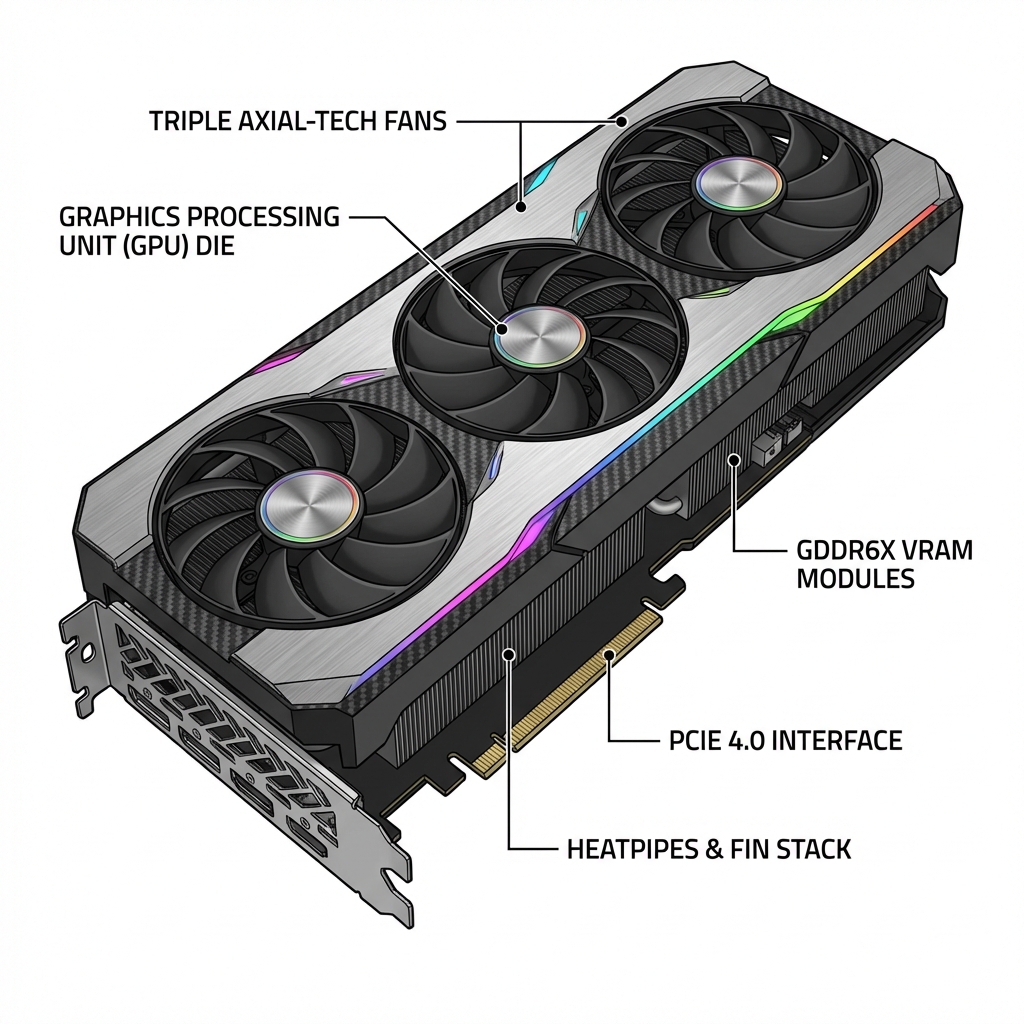
The GPU (Graphics Processing Unit) handles everything you see on screen. It renders games, accelerates video editing, and powers creative applications.
Not everyone needs a dedicated graphics card, but for gaming - it's essential.
Do You Need a GPU?
You DON'T need a dedicated GPU if:
- ✓ Basic web browsing and office work
- ✓ Watching videos (YouTube, Netflix)
- ✓ Light photo editing
- → Use your CPU's integrated graphics (save $300+!)
You DO need a GPU if:
- ✗ Gaming at modern settings
- ✗ Video editing with effects
- ✗ 3D modeling or rendering
- ✗ Running multiple monitors (more than 2-3)
Understanding GPU Basics
- VRAM (Video Memory): Stores textures and game assets
- 8GB: Good for 1080p gaming
- 12GB: Great for 1440p gaming
- 16GB+: 4K gaming and professional work
- Ray Tracing: Makes lighting look realistic
- Newer feature that looks amazing
- Costs performance (lower FPS)
- Nice to have but not essential
- DLSS/FSR: AI upscaling for better performance
- NVIDIA has DLSS (only on NVIDIA cards)
- AMD has FSR (works on most cards)
- Can boost FPS by 30-50%!
NVIDIA vs AMD
NVIDIA (RTX 4000 series):
- Better ray tracing
- DLSS is superior to FSR
- More expensive
- Higher power consumption
AMD (RX 7000 series):
- Better value for money
- More VRAM for the price
- Great performance without ray tracing
- Lower power consumption
For most people: AMD offers better value
Which GPU Do You Need?
Match GPU to your monitor resolution:
1080p Gaming (1920x1080):
- 8GB VRAM minimum
- Budget: RTX 4060 ($300) or RX 7600 ($270)
- 60+ fps in AAA games
1440p Gaming (2560x1440):
- 12GB VRAM recommended
- Mid-range: RX 7800 XT ($500) or RTX 4070 ($600)
- 80-100+ fps in most games
- Our recommendation below ↓
4K Gaming (3840x2160):
- 16GB+ VRAM recommended
- High-end: RTX 4080 ($1000+) or RX 7900 XTX ($900)
- 60+ fps at 4K
Our Recommendation
For 1440p gaming and great value:
AMD Radeon RX 7800 XT Check Price on Amazon
Why we love it:
- 16GB VRAM (future-proof!)
- Excellent 1440p performance
- 80-100+ fps in most games
- Good for content creation too
- Great value at ~$500
This GPU handles modern games beautifully at 1440p and will last for years.
Power and Size Considerations
GPUs need serious power:
RX 7800 XT requires:
- 700W power supply minimum
- 750W recommended (our Corsair RM750x is perfect!)
- Two 8-pin PCIe power connectors
Physical Size:
- Modern GPUs are BIG (often 12+ inches long)
- Check your case supports GPU length
- PCPartPicker will warn you if there's a problem
Common Mistakes
- ❌ Underpowered PSU - GPU won't work properly
- ❌ GPU too long for case - Won't physically fit
- ❌ Plugging monitor into motherboard - Use GPU ports!
- ❌ Not enough VRAM - Causes stuttering in games
Summary
- GPU essential for gaming, not for basic tasks
- Match GPU to your monitor resolution
- RX 7800 XT perfect for 1440p gaming
- Needs 750W power supply
- Verify size fits your case
Links in this guide are affiliate links that support our content creation.