
Part 5: Cases and Cooling
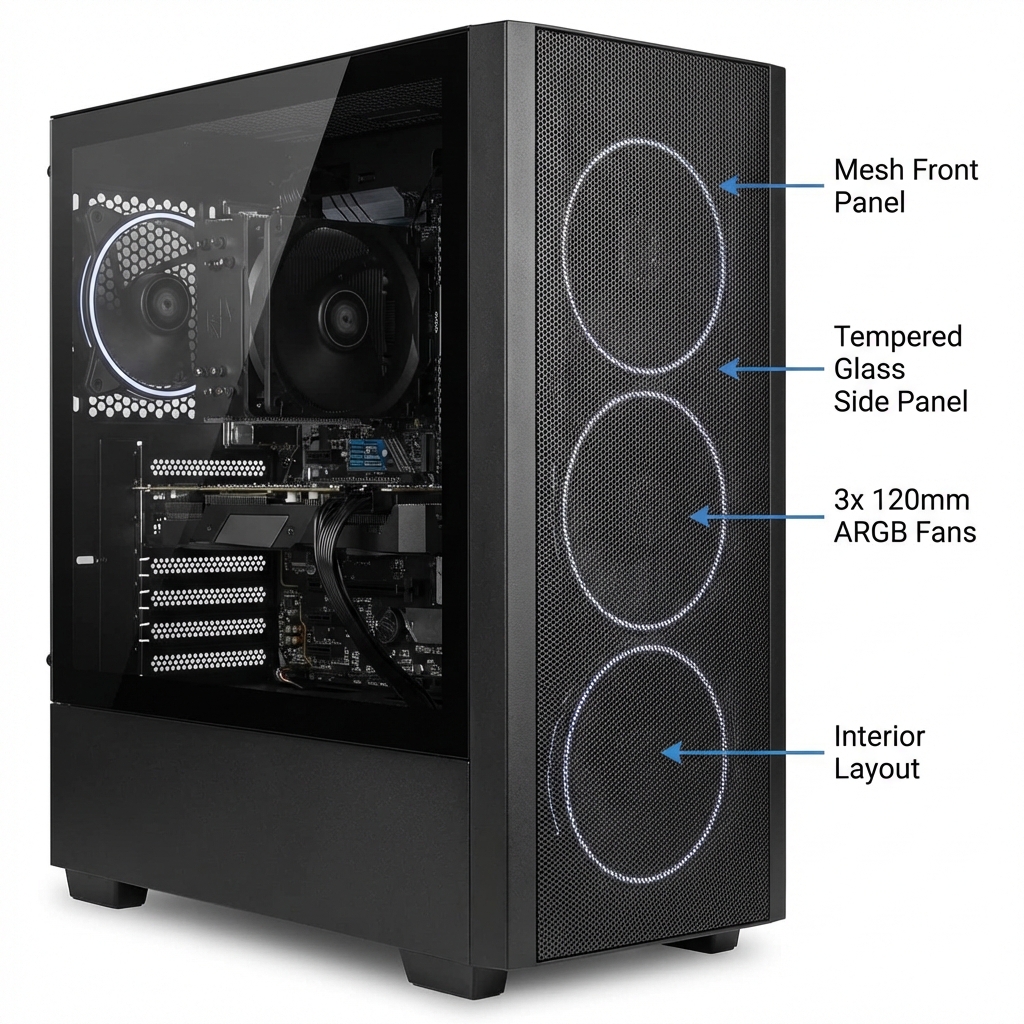
The case houses all your components and determines how cool (temperature-wise) and quiet your PC runs.
A good case makes building easier and keeps everything running properly. Let's keep this simple.
Case Sizes
Cases match motherboard sizes:
- Mid-Tower (Most Common):
- Fits: ATX, Micro-ATX, Mini-ITX motherboards
- Good airflow, easy to build in
- Fits on/under most desks
- Best for: Most builds (Our recommendation ↓)
- Full-Tower (Large):
- Fits everything, lots of room
- Heavy, takes up lots of space
- Best for: Extreme builds, water cooling
- Mini-ITX (Small):
- Tiny, portable
- Harder to build, less airflow
- Best for: Experienced builders only
Airflow: Why It Matters
Good airflow keeps components cool and extends their lifespan.
Basic airflow principle:
- Cool air IN from front and bottom
- Hot air OUT from top and rear
- Hot air rises naturally
Mesh vs Solid Front Panel:
- Mesh front: Better airflow (10-15°C cooler!)
- Solid front: Looks sleek but chokes airflow
For gaming PCs: Always choose mesh front
Important Case Features
Look for these features:
- ✓ Mesh front panel (better cooling)
- ✓ Dust filters (keeps components clean)
- ✓ Cable management space behind motherboard
- ✓ Room for your GPU length
- ✓ Enough clearance for CPU cooler height
- ✓ Easy-access front USB ports
Our Recommendation
For excellent airflow and quality:
Fractal Design Torrent Compact Check Price on Amazon
Why we love it:
- Outstanding airflow (mesh front)
- Compact mid-tower size
- Includes 2x 180mm fans (very quiet!)
- Easy cable management
- Great build quality
- Fits: ATX, Micro-ATX motherboards
- Price: ~$150-180
This case keeps your components cool while looking great.
CPU Cooling Covered!
We already recommended the perfect CPU cooler in Part 2:
Thermalright Peerless Assassin 120 SE Check Price on Amazon
This handles your CPU cooling needs perfectly. No need for expensive liquid cooling!
Case Fans
The Fractal Torrent Compact includes excellent fans, but if you want to add more:
- Front: 2-3 intake fans (included with Torrent)
- Rear: 1 exhaust fan
- Top: Optional 1-2 exhaust fans
The included fans are great - no need to buy more unless you want extra cooling.
Clearances to Check
Before buying, verify:
GPU Length:
- RX 7800 XT: ~267mm long
- Fractal Torrent Compact: Supports up to 420mm
- ✓ Plenty of room!
CPU Cooler Height:
- Thermalright Peerless Assassin: 155mm tall
- Fractal Torrent Compact: Supports up to 188mm
- ✓ Perfect fit!
PCPartPicker automatically checks these for you!
Summary
- Mid-tower case for first build
- Mesh front panel = better cooling
- Fractal Torrent Compact has excellent airflow
- Includes quality fans
- Always verify GPU and cooler fit
- Use PCPartPicker for clearance checks
You're Ready to Build!
Congratulations! You now understand all the core components of a PC:
- ✓ Motherboard - The foundation that connects everything
- ✓ CPU - The brain that processes everything
- ✓ Graphics Card - Makes games look amazing
- ✓ Storage - Fast SSD for your OS and programs
- ✓ Case & Cooling - Keeps everything cool and organized
Our Recommended Complete Build:
- Motherboard: MSI B650 TOMAHAWK WIFI
- CPU: AMD Ryzen 5 7600X
- Cooler: Thermalright Peerless Assassin 120 SE
- RAM: G.Skill Flare X5 32GB DDR5-6000
- GPU: AMD RX 7800 XT
- SSD: WD Black SN850X 1TB NVMe
- PSU: Corsair RM750x 750W
- Case: Fractal Design Torrent Compact
- OS: Windows 11 Home USB
This build delivers excellent 1440p gaming performance and will last for years.
Next Steps:
- Verify compatibility on PCPartPicker.com
- Purchase all components
- Follow a PC building tutorial for step-by-step assembly
- Enjoy your new PC!
Remember: Building a PC is easier than you think. Take your time, double-check connections, and don't be afraid to ask for help in PC building communities.
Welcome to the PC building world!
Links in this guide are affiliate links that support our content creation.